Product

EU Withdrawal Manager for PrestaShop

Version 1.8.2 supports PrestaShop 1.6 to 9.1, with a separate download for each verified version.

PrestaShop · 1.6.1 to 9.1

EU Withdrawal Manager

Manages online withdrawal requests: customers declare and confirm in two steps, and your team handles every case in one place.

  • Compatibility: PrestaShop 1.6 to 9.1: choose your exact version when buying
  • Version: 1.8.2
  • Licence: One licence per installation. Business customers only.
  • Updates: Perpetual updates for the licensed module
  • Support: 6 months of email support
  • Refunds: You can request a refund of the amount paid within 30 days of the purchase.
€69.99excl. VATBuy module
In the store

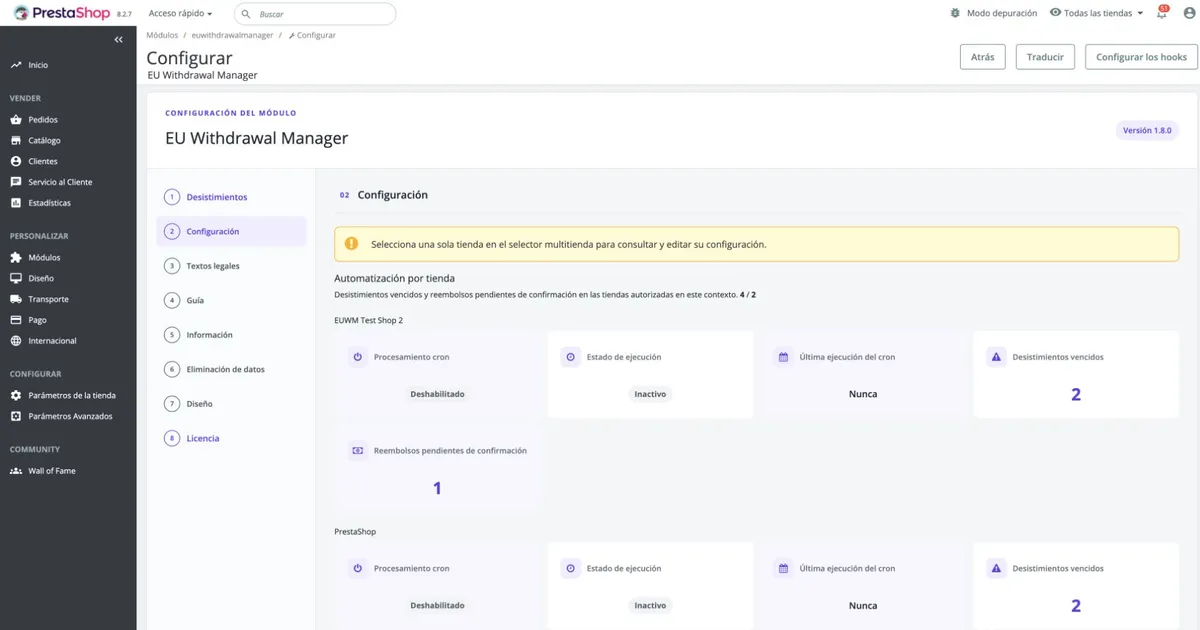
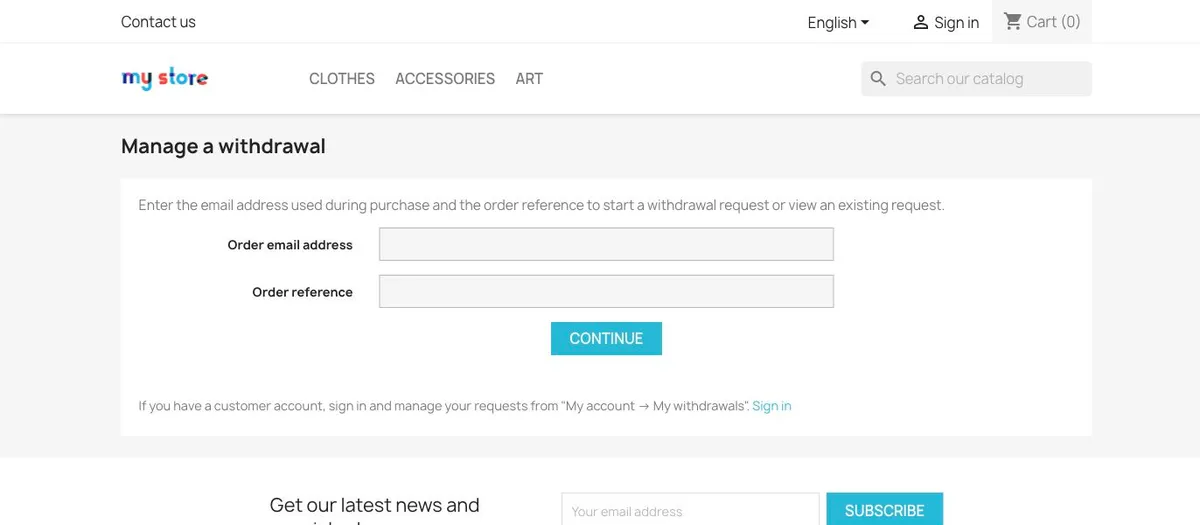
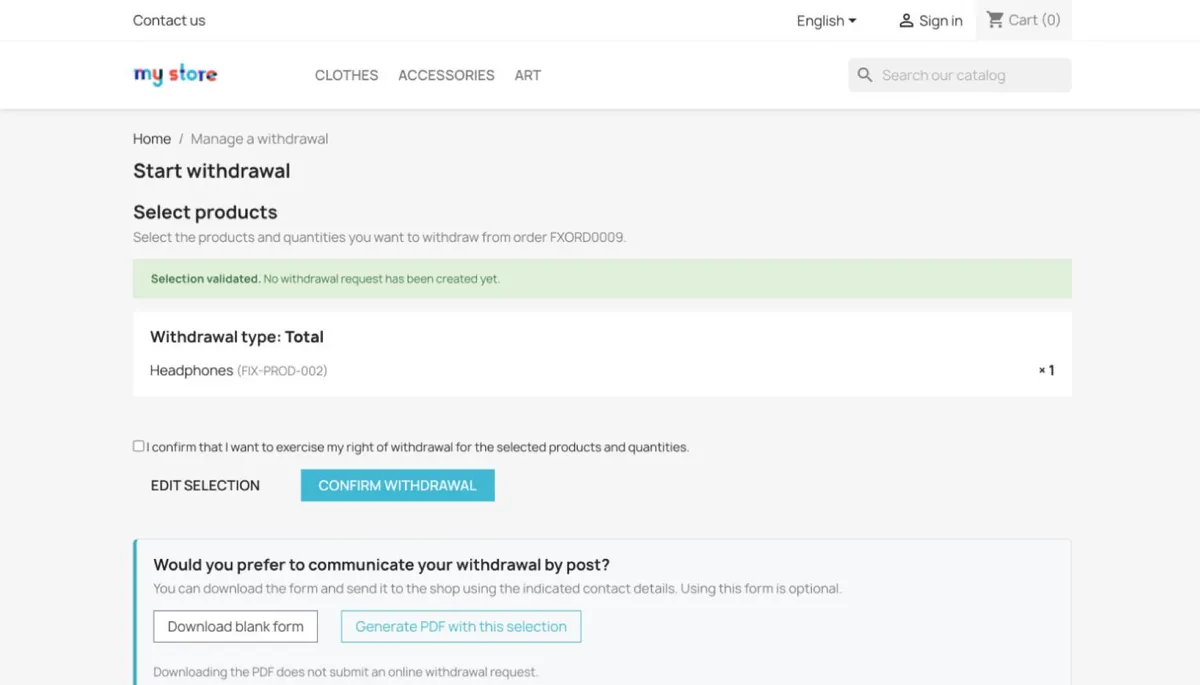
How it looks.

Screenshots of the module in a demo store with sample data.

Features

Everything a withdrawal needs, in one place.

Adds the function to the store, lets customers withdraw online in two steps, and gives the team one place to handle every case.

Customers

Two-step withdrawal

Customers declare the withdrawal and then confirm it expressly, in two steps in the store.

Storefront2 steps

Customers

Guests and registered customers

Guests identify their order; registered customers select it from their account.

Storefront2 entry paths

Customers

Whole order or part of it

Customers choose products and quantities, and the team sees what is affected.

StorefrontTotal or partial

Back office

Case management

A status list from requested to completed, with the order, products and history of each case.

Back office11 states

Back office

Returns and refund records

Records returned quantities, links a credit slip and keeps the refund reference. Refunds stay with your payment provider.

Back officeStock + credit slip

Messages

Email notifications

Thirteen email templates in German and seven other languages, with delivery attempts recorded.

Emails13 templates

Messages

PDF forms

Blank and prefilled PDF forms for customers who prefer to write to you. A PDF does not submit a request.

DocumentsBlank or prefilled

Setup

Multistore

Configuration per shop, with requests listed by shop in a single back office.

SetupPer shop

All features are included in every licence. See what the licence includes

Details

Requirements, version and privacy.

9versions

Compatibility

Requirements

PHP 7.1 or higher for PrestaShop 1.6.1 to 1.7.8, PHP 8.1 or higher for PrestaShop 8.0 to 9.1. Each verified version has its own ZIP.

PrestaShop 1.6 to 9.1: choose your exact version when buying

1.8release

Version

Version 1.8.2

Published on 6 November 2026. Updates are perpetual while your licence is valid.

Stable channel

0shopper records sent

Privacy

Your shoppers' data stays with you

The licence and update service receives installation and technical data only: installation ID, domain, environment, platform, module and PHP versions. Withdrawal data of your shoppers stays in your PrestaShop.

See the privacy policy

Process

Four steps, no mystery.

From purchase to your first withdrawal request.

  1. 01

    Buy

    Checkout is handled by Paddle. After payment, you receive your licence and a download link by email.

    Paddle checkout
  2. 02

    Install

    Download the ZIP that matches your exact PrestaShop version and install it as a module.

    One ZIP per version
  3. 03

    Activate

    Activate your production store with your licence first and, if you need one, your test environment afterwards.

    Per installation
  4. 04

    Run and update

    Customers declare and confirm withdrawals and your team handles each case. Updates and email support are included.

    Updates included

Licence

One licence, everything included.

One-time payment. Business customers only. With a valid VAT ID and your company address in the same country as the VAT ID, no VAT is charged (reverse charge). Otherwise, VAT for the country of your address is added.

Updates

Perpetualincluded

Updates are included while your licence is valid.

  • Perpetual updates for the licensed module
  • Private, checksum-verified downloads
  • Delivered through your licensed access
Read the FAQ

Support included with the licence

6 monthsincluded

Email support from your purchase, covering installation, configuration and reproducible defects.

  • Installation and configuration
  • Use of the module
  • Reproducible defects
  • Not covered: third-party modules and hosting
Write to support

Product

Buy EU Withdrawal Manager

Fill in your company details and choose your PrestaShop version. Payment is completed in Paddle's secure checkout.

Sales are only to businesses established in an EU Member State.

Choose the series of your PrestaShop. The module declares compatibility with the whole series; the patches we tested it on are shown in brackets. If your patch is not listed it should still work, but it is untested.PrestaShop 9.2: in preparation. Write to us at info@psdevs.com.

Workflows

From request to close-out.

2states

Customer

Opening a case

Requested and cancellation requested: a case opens with the customer's confirmed submission, and can be cancelled while open.

Storefront · Back office

5states

Your team

Return and review

Waiting return, received, reviewing, accepted and rejected: your team records the return and the inspection decision.

Back office

4states

Your team

Close-out

Refund pending, completed, cancelled and expired: the refund result is recorded, or the case closes.

Back office

Questions

Before you buy.

Something else? Write to info@psdevs.com.

Who can buy the module?

Online store owners and businesses in EU member countries. Business customers only.

Which PrestaShop versions are supported?

PrestaShop 1.6 to 9.1: choose your exact version when buying. Each verified version has its own download.

How do I receive the module after purchase?

After payment, you receive your licence and a download link by email.

What is your refund policy?

Payments are processed by Paddle, our merchant of record. You can request a refund of the amount paid within 30 days of the purchase. Paddle's buyer terms also apply. See our refunds page.

How are VAT and invoices handled?

One-time payment. Business customers only. With a valid VAT ID and your company address in the same country as the VAT ID, no VAT is charged (reverse charge). Otherwise, VAT for the country of your address is added. Paddle calculates the VAT at checkout and provides your invoice.

How do I get support?

Six months of email support from your purchase, covering installation, configuration and reproducible defects. Write to info@psdevs.com.

How many installations does my licence include?

Your licence covers one production installation (your online store) and one test or development installation: a local address (localhost, .test, .local) or a test subdomain of your store (such as staging.yourstore.com). Always activate the production one first.

What happens if I change domain or server?

Deactivate the installation from the shop you are taking down, before you change domain or server: "License" section of the module, "Deactivate this installation" button. The slot is freed immediately and you can activate the licence on the new domain. A copy of the shop on another domain cannot deactivate the original installation. If you migrate to another domain without having done so, or you no longer have access to the previous server, write to info@psdevs.com and we will release it for you.

Can I activate the test environment first?

Always activate the production store first. Local addresses (localhost, 127.0.0.1 and the .localhost, .test and .local domains) are recognised as a test environment and are activated without waiting for production. A subdomain of your store with a label such as dev, development, staging, stage, test, testing, preview, preprod or sandbox (for example staging.yourstore.com) is also recognised as a test environment, but it stays pending until you activate the production store. If the module is unsure (for example, because a real store has "test" in its address), it asks whether it is your production store or a test environment. If you activate a test environment with an ordinary domain first, it will be taken as production and occupy that installation: you will have to deactivate it before activating the real store.

Which PrestaShop series do I choose, and what about my patch?

Choose the series of your PrestaShop (for example 8.2.x). The module declares compatibility with the whole series; the patches in brackets are the ones we tested, and the others should work but are untested. PrestaShop 9.2 is in preparation: write to us at info@psdevs.com.

Contact

Questions about the module?

Write to info@psdevs.com.

  • Emailinfo@psdevs.com
  • SupportSix months from purchase, by email

Please include

  • PrestaShop version
  • Module version
  • A description of the question
Email info@psdevs.com
  • We answer within 24 hours on business days.
  • You can find how your data is processed in the privacy policy.
  • For businesses only. Languages: English and Spanish.

A tool, not legal advice. Legal questions belong with your own advisor.